The all-in-one, automated Google Sheets & Excel template designed to give you clarity, calm, and compounding wealth. Track monthly budgets, automate the 50/30/20 rule, eliminate debt, and hit savings goals—without a single confusing formula.
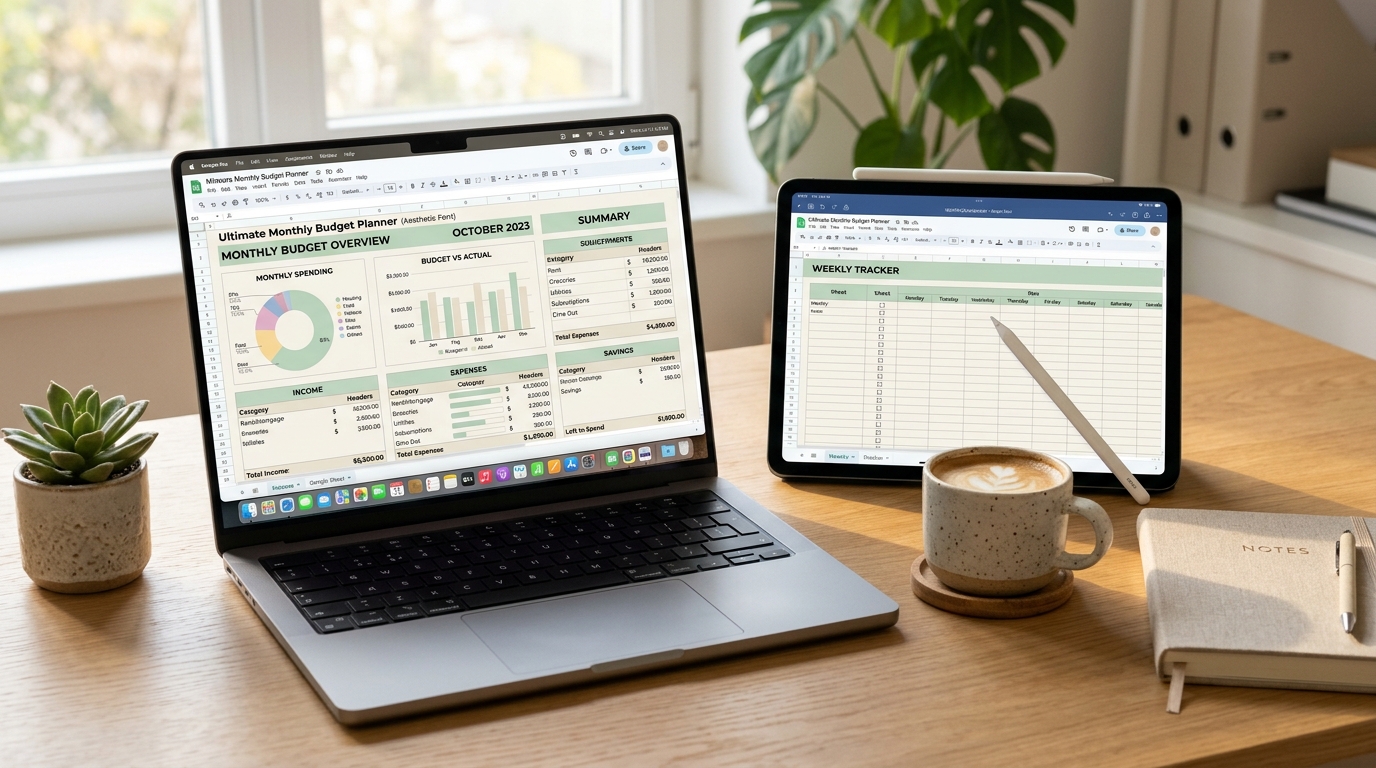
Seamlessly compatible with all your devices & platforms
Most budgeting apps and generic spreadsheets fall into two painful extremes. Here is why you haven't stuck to a budget in the past—and how this template changes everything.
#REF! errors that ruin your entire sheet.
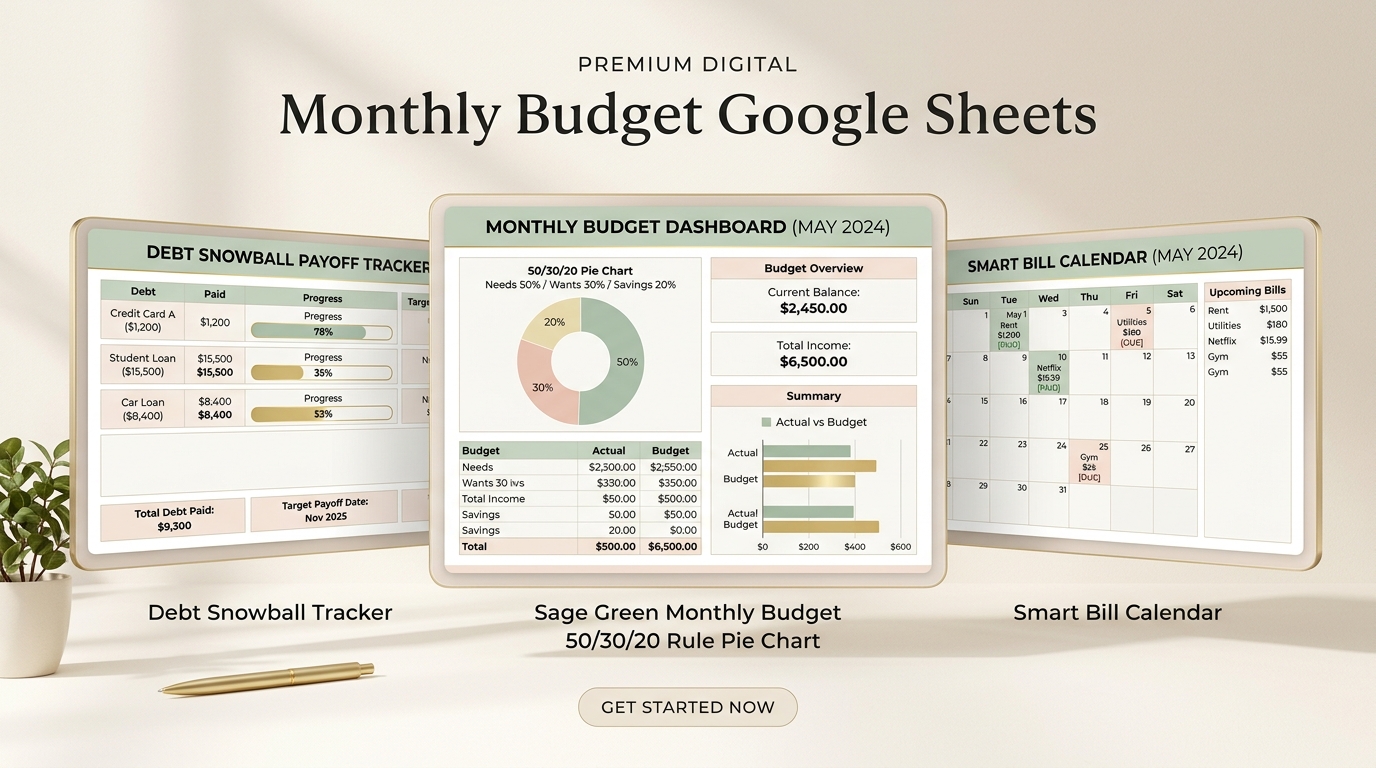
Click through the core tabs below to see how our automated system organizes your entire financial life with elegance.
Setup takes under 5 minutes with our step-by-step video tutorial.
Type your monthly take-home income and adjust your target ratios to see how much wealth you will accumulate in 1 year and 5 years.
Net income deposited into your bank account each month.
Handcrafted by digital spreadsheet architects to deliver maximum clarity with effortless 1-click usability.
Pick your exact currency symbol ($, €, £, CA$, AU$, ₹, etc.) and calendar start month in 1 click. Every tab, summary, and formula adapts instantly.
Give every dollar a job with zero-based budgeting, or let unspent money seamlessly roll into the following month. Switch styles whenever you wish.
Budget together without arguments. Add multiple earners, tag who spent each transaction, and view custom income/expense distributions per partner.
Don't get paid once a month? Easily plan weekly, bi-weekly, semi-monthly, or custom pay schedules and manage tricky "three-paycheck months" effortlessly.
Calculated cells are protected against accidental overwrites. Type only in the clean data-entry columns—impossible to break or lose formulas.
Receive our comprehensive step-by-step PDF manual and quick video walkthrough. We hold your hand from setup to your very first monthly review.
Total real-world value: $97.00. One-time purchase, lifetime access, instant download.
Includes both the Google Sheets template link (instant 1-click duplicate) AND the Microsoft Excel (.xlsx) offline file.
Gamified challenge spreadsheets that make saving money fun and addictive.
Exact strategies to eliminate credit card interest and shave years off your payoff date.
Never forget hidden quarterly bills, car registrations, or irregular annual fees.
Get every new feature and annual update sent straight to your Google Drive link.
The Debt Snowball tab alone made this worth 100x what I paid. Seeing the exact month we would be debt-free kept my husband and me motivated every Friday when we updated our numbers.
I don't know any formulas and was worried I would mess it up. It took me 5 minutes to set up in Google Sheets on my iPad. The pastel sage green colors are so aesthetic and peaceful!
Being able to share the Google Sheet link with my partner so we can both add expenses from our phones was a game-changer. The 50/30/20 breakdown is super fair for shared household expenses.
I was tired of paying monthly subscriptions for budgeting apps that kept disconnecting from my credit union. This one-time purchase is faster, cleaner, and I actually own my data forever.
I used to get blindsided every December when holiday gifts and annual car insurance were due. Now, our sinking funds are pre-funded automatically. No more panic!
The video walkthrough made everything click instantly. I bought it, customized the categories in 10 minutes, and we've now saved an extra $3,200 this year alone.
Immediately after checkout, you receive the PDF download link on screen and in your email. No waiting for shipping.
Click the link in the PDF and tap "Make a Copy". It instantly saves to your free Google Drive or opens in Microsoft Excel.
Follow our 5-minute setup video, type your income and bills, and watch all charts and progress bars populate themselves automatically!
Everything you need to know about compatibility, privacy, and how it works.
No, absolutely not! You can use this completely for free with Google Sheets on any device with just a standard free Google account. We also include the Microsoft Excel (.xlsx) file if you prefer Excel desktop.
No, by intentional design. Third-party apps that link to banks frequently break, charge expensive monthly fees, and present cybersecurity risks. With this planner, you log your transactions yourself (or copy-paste statement logs), giving you complete privacy and full awareness of every dollar you spend.
Yes, 100%! In Google Sheets, you can share the link with your partner or spouse so you can both edit and view the sheet in real-time from your phones or laptops. You can also tag transactions by person to see who spent what.
Calculated cells and formulas are locked and protected. You only type in designated white data-entry cells, so it is virtually impossible to break. Plus, you can always make a fresh copy anytime from your master download link.
Yes! The spreadsheet is fully reusable year after year. Whenever a new year begins, simply make a duplicate copy and update the starting year on the setup tab.
Instant digital delivery! Immediately after checkout, you get a direct download link on your screen, plus an email confirmation with your private Google Sheets master link and the Excel (.xlsx) file with step-by-step PDF setup instructions.
Try the Ultimate Monthly Budget Planner for a full 30 days. If it doesn't give you total clarity and make managing your money 10x easier, just send an email to support@budgetplannerpro.com for an immediate 100% refund. No questions asked.
Stop stressing about unexpected bills. Join over 210,000 satisfied people who finally have total control over their money.
